Gmail to Zimbra Migration
Transfer Complete Mailbox from Gmail to Zimbra Desktop
Having trouble transferring Gmail email to Zimbra Mail? If so, then you are in the right solution that you can trust.

Migrating from Gmail to Zimbra seems like an easy task, doesn't it? However, it becomes a complicated task if you want to migrate a full mailbox from Gmail to Zimbra. In this article We will be sharing an easy approach for transferring complete mailbox data of Gmail account into Zimbra desktop without any additional configuration.
How to perform Gmail to Zimbra Migration – The Simple Way
To migrate Gmail to a Zimbra account, you need to download and install MailBackup365 Gmail on the Zimbra migration software. This software has the simplest graphical user interface and allows users to effectively migrate Gmail emails to Zimbra Desktop. Anyone with basic computer skills can use this software. Download the free version of this utility to start the migration process now
Get Gmail to Zimbra Migration Tool NowSteps to Migrate Emails from Gmail to Zimbra are as follows;
Step 1. Launch MailBackup365 Gmail to Zimbra Migration tool.
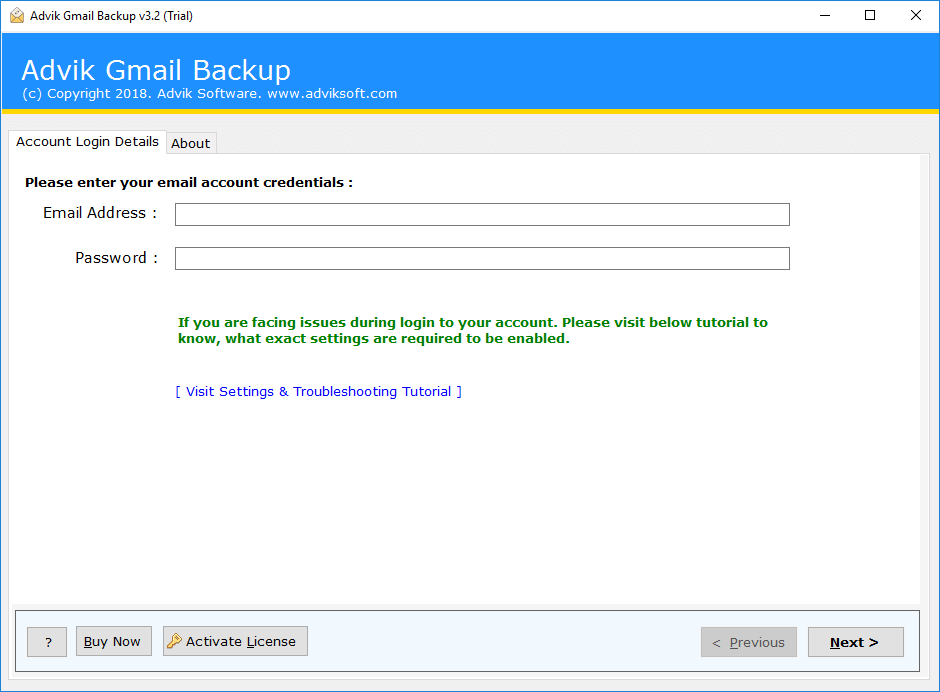
Step 2. Enter Gmail login details on the interface of the software.
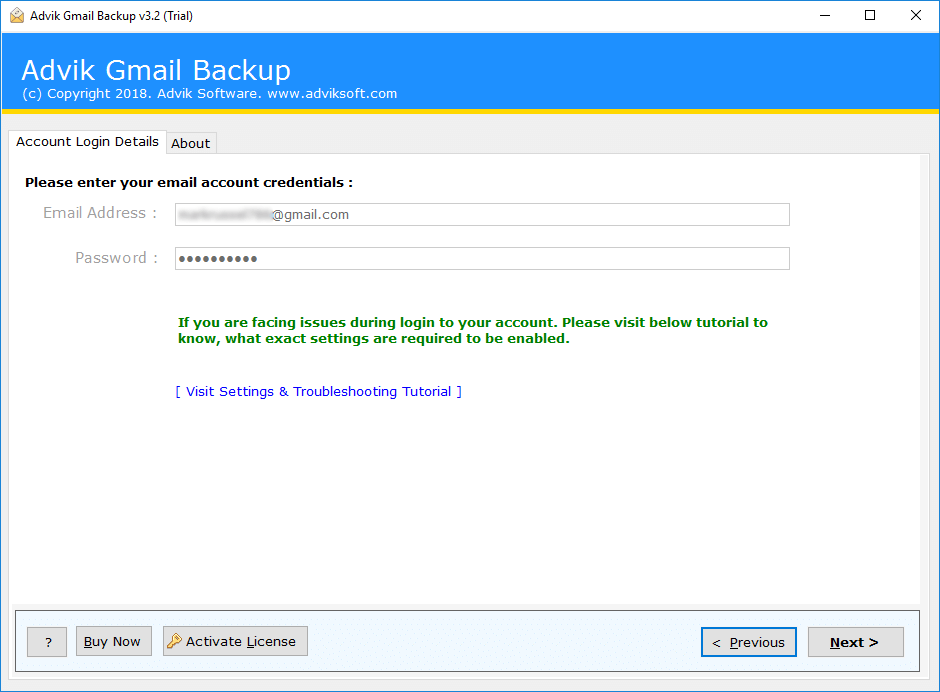
Step 3. Select Desired mailbox folder that you want to migrate.
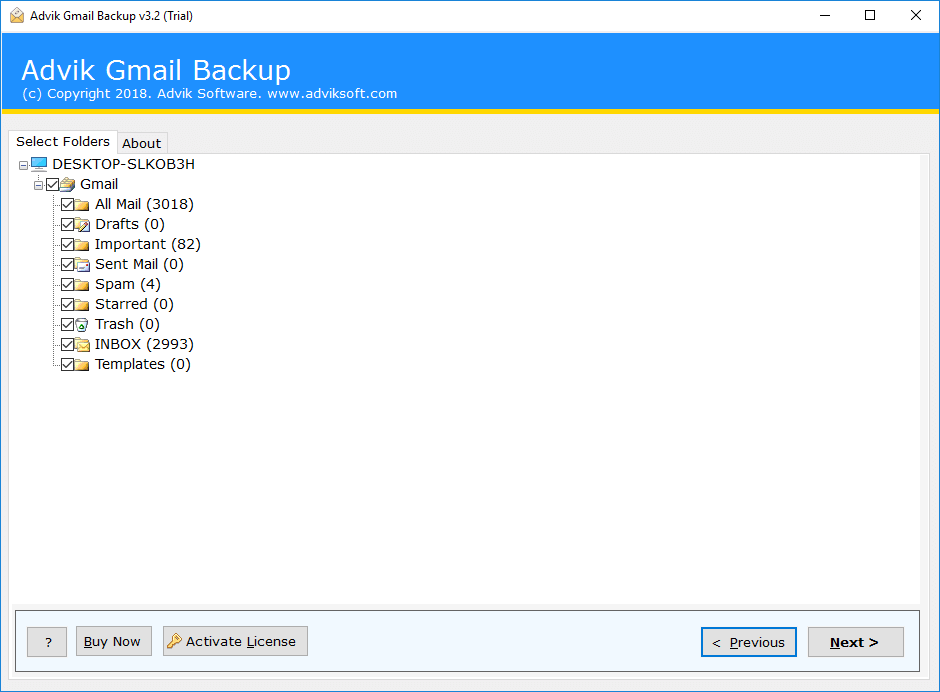
Step 4. Select Zimbra from multiple saving option.
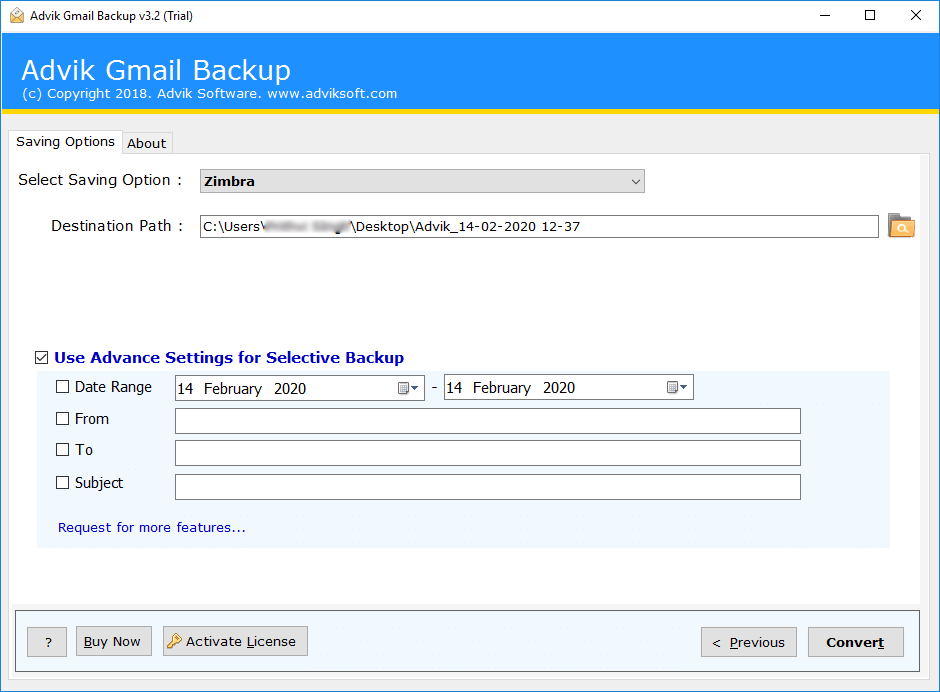
Step 5. Click the convert button and analyse the process of migration.
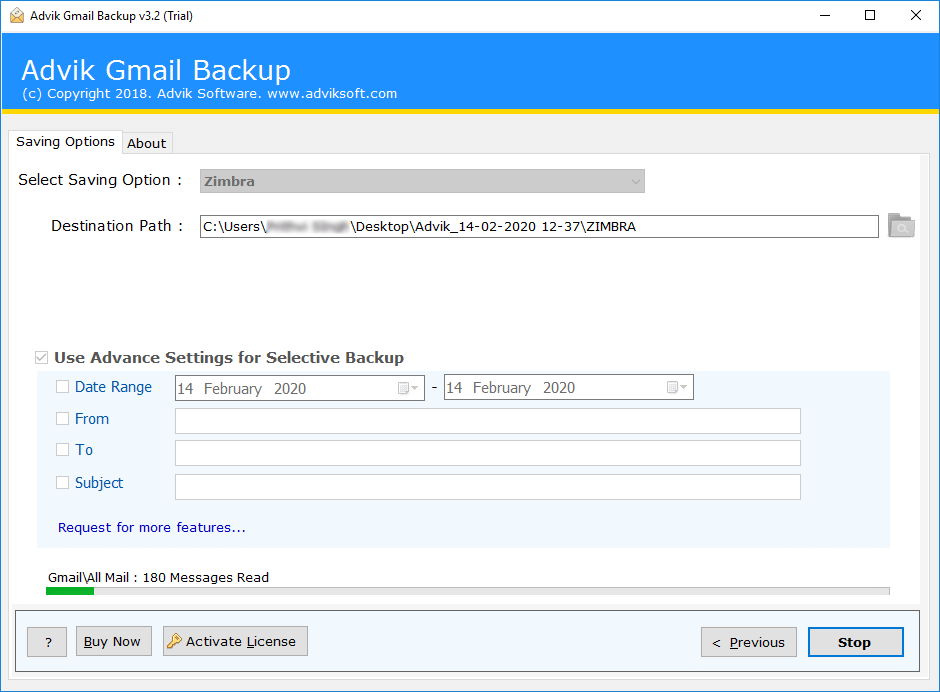
This is how you can migrate Gmail backup to Zimbra Desktop in an easy manner.
If you don’t want to migrate emails from Gmail to Zimbra Desktop and want to only configure Gmail account in Zimbra Mail then this method is not for you. To configure Gmail in Zimbra Desktop Click here.
Key Features of Mail Backup 365
Gmail to Zimbra Migration Tool
This advanced utility is loaded with many functions. Some of the advanced features of this tool are as follows;
1. Maintain Folder and Sub Folder Structure of Emails; You don't have to spend hours and days arranging your email in the same way as in the original folder structure. During the migration process, this tool maintains and saves the folder, as well as the sub-folder structure of the emails.
2. Preserve Key Elements and Metadata; Key elements and Metadata play a very important role in an email message. These key elements include Cc, Bcc, header and footer information, hyperlinks, embedded images, and more. This tool ensures that all of your key elements remain the same
3. Include Attachment Files; An email is worthless with lost attachment files. The Gmail to Zimbra migration software ensures that no attachment is lost throughout the conversion process.
4. Email Filter Option for Selective Backup; Most of the time we have to migrate emails from the selected group or date range. This software allows users to filter and migrate Gmail email using the advanced filtering option. The filter uses the date range, to, from and subject.
5. User Friendly Interface for Novices; We believe in making email migration as easy as possible. For this reason, the Gmail to Zimbra Migration tool offers the simplest and most user-friendly interface. You do not have to be a technical user to use this tool.
6. No limit on Data Transfer; You can use this tool to migrate the unlimited number of Gmail accounts for unlimited number of times. There are no restrictions on this tool as long as you have the licensed version of this software. For demo users, you can migrate 25 emails from each folder.
The list of features of MailBackup365 Gmail to zimbra Converter is endless...
Few Words from our satisfied users:
It is noteworthy that I have successfully migrated email from Gmail to Zimbra Mail. Thank you for this wonderful tool.
We used Gmail webmail for a few years. Suddenly we have to switch from Gmail Webmail to Zimbra Desktop Client for email management and official conversation. The Gmail to Zimbra Migration Tool helped me a lot with the transfer of all emails from Gmail to Zimbra.
Our organization has decided to switch from Gmail to Zimbra Client. The big problem for us now is the accessibility of custom folders, sent emails and other important Gmail email folders. I used the MailBackup365 Gmail to Zimbra migration tool for this, and it worked perfectly for us with just a few steps.
MailBackup365 is is an email specialists from last 15 years. Our goal is to develop an email backup and conversion solution that’s both accurate and simple. Our solutions are so simple that it is the preferred choices for email forensics professionals, government agencies, universities and major corporations.
Prefer to Try Before You Buy?
If you’re not ready to buy, no problem. Simply take advantage of our free trial and start using MailBackup365 Gmail to Zimbra Converter today.
There’s no sign-up form and no credit card needed to download Gmail to Zimbra Converter and you can run it in trial mode for as long as you need. Take it for a test run. And you can see yourself that how easy it is to use. We want you to be confident that MailBackup365 is fully compatible with your computer and does what you need.
Ready to Buy Now? It’s Quick and Easy
If you are in need to convert unlimited number of Gmail emails to ZImbra format then MailBackup365 Gmail to Zimbra Converter is the perfect choice for you.
Gmail to Zimbra Migration Tool
for Home and Business Users- Unlimited Gmail Accounts
- One Time Fees
- Lifetime Validity
- Lifetime Updates
- No Renewal Charges
- 24/7 Customer Support
- Zimbra, Windows Live Mail, Lotus Notes, Thunderbird, PDF, PST, MSG, EML, EMLX, MBOX, HTML, MHT, XPS, RTF, & DOC
*No Extra Charges
- Office 365, Gmail, G Suite, Outlook.com, Yahoo Mail, Rediffmail, and IMAP Option
*No Extra Charges
- Operating System : MailBackup365 Gmail to Zimbra Converter runs under Windows 10, 8, 7, Vista, and XP.
- Internet : Online license activation, validation, and re-activation require an internet connection.
- Hardware Requirements : 512 MB of RAM, 100 MB of disk space. Pentium Class or higher processor.
- Software Delivery : Instant Delivery of License by Email
- Account Limitation : You can Backup unlimited Gmail Account as long as you have the licensed version of this tool. For Demo users you can backup 10 emails from each folders.

Frequently Asked Questions
To migrate the full mailbox folder from Gmail to Zimbra Desktop, you have to do a few simple steps;
- Run MailBackup365 Gmail to Zimbra Migration Tool.
- Enter Gmail Login Details and Select Desired Mailbox Folders.
- Select Zimbra from Multiple Saving option list.
- Click the Convert button and analyse the process of conversion.
After successful conversion you need to import converted file into your Zimbra Desktop account.
Yes, this software is workable on almost all versions of Windows OS such as Windows 10, Windows 8, Windows 7, Windows Vista and Windows XP.
In order to make this tool to transfer Gmail emails to Zimbra Desktop you need to check weather IMAP option is enabled in your Gmail account. You also need to enable “Less Secure app” option in your Gmail Settings for more information click here