G-Suite Backup Tool

Save Your Complete G-Suite Account Backup To Your PC in formats like PST, MSG, EML, EMLX, PDF, MBOX, HTML, MHT, XPS, RTF, DOC, Office 365, Lotus Notes, Zimbra & Thunderbird.

Moreover, You can transfer your G Suite emails to several cloud email services like Office 365, Gmail, Windows Live Mail, Outlook.com, Yahoo Mail, Rediffmail and many more.

Download Now    Purchase Now Product Guide

Features Of This Tool

Below are the major Features which makes this tool Advance

download G-Suite account backup
Download Complete G-Suite Mailbox

This software generates and download complete backup of gmail account including emails ,contacts, calender, tasks etc. to PC.

transfer google apps mails in multiple format
Export In Multiple Formats

Its offers users to download the mailboxes in multiple formats like PST, EML, ,PDF , MSG and MBOX .This will help user to easily access gmail database in local hard drive.

g-suite backup tool maintain meta properties
Preserve Meta Properties

This Tool retains the data integrity after migration of mailbox to PC. It keep the meta properties, formatting, folder hierarchy, etc in as it it form.

download g suite emails in with attachments
Include Attachments

While downloading the backup of complete gmail account ,this tool aslo downloads the attachment files of their respective mails without any hassle.

download g suite emails with pause/resume
Cloud to Cloud Migration

Export emails from G Suite to Office 365, Windows Live Mail, Gmail, Yahoo mail, Rediffmail or another G Suite account.

Download g suite emails with Authentication
Safe & Secure

It Enhances the security feature by providing Strong Authentication and this tool never save your login credentials.

Pre-Requirements

  • Windows OS : Windows 10 & All Other Previous Windows Version Supported.
  • Processor : 1 GHz Processor (2.4 GHz is recommended)
  • RAM : 1 GB RAM required
  • Hard Disk Space :20 MB of free hard disk required.

Demo Limit – The Demo version of G-Suite Backup Tool download emails to PST, EML, PDF, MBOX & MSG file format, within the limit of 100 mails & 25 other items (Calendar, Contacts & Documents)

Clients Reviews

customer remarks

"We love the G-Suite Backup Tool; it works very well and we are also looking forward for its next update. The product is robust and reliable and works just so well. Tech Support is also great and is actually online 24/7. "

Jennifer Hernandez, - California

people review

"This tool is exactly what I needed to backup my G-Suite mails, contacts and calendars. This tool is just amazing. "

Russell Johnson - Finland

Frequently Asked Questions
Yes, this tool download mailbox data's first 100 emails and 25 other items for free in demo version and for complete G-Suite backup you have to purchase the G-Suite Backup Tool.
No, this is the window based application, you cannot access G-Suite database in Mac OS.
Yes, it comes with authentications feature, and taking permission to user to migrate access G-Suite database is secure way.

Purchase G-Suite Backup Tool

Home User License

For Personal Use

$39

Pro License

For Business Purpose

$119   $99


How to Backup Your G-Suite Account?

Follow the steps below to generate G-Suite account backup.

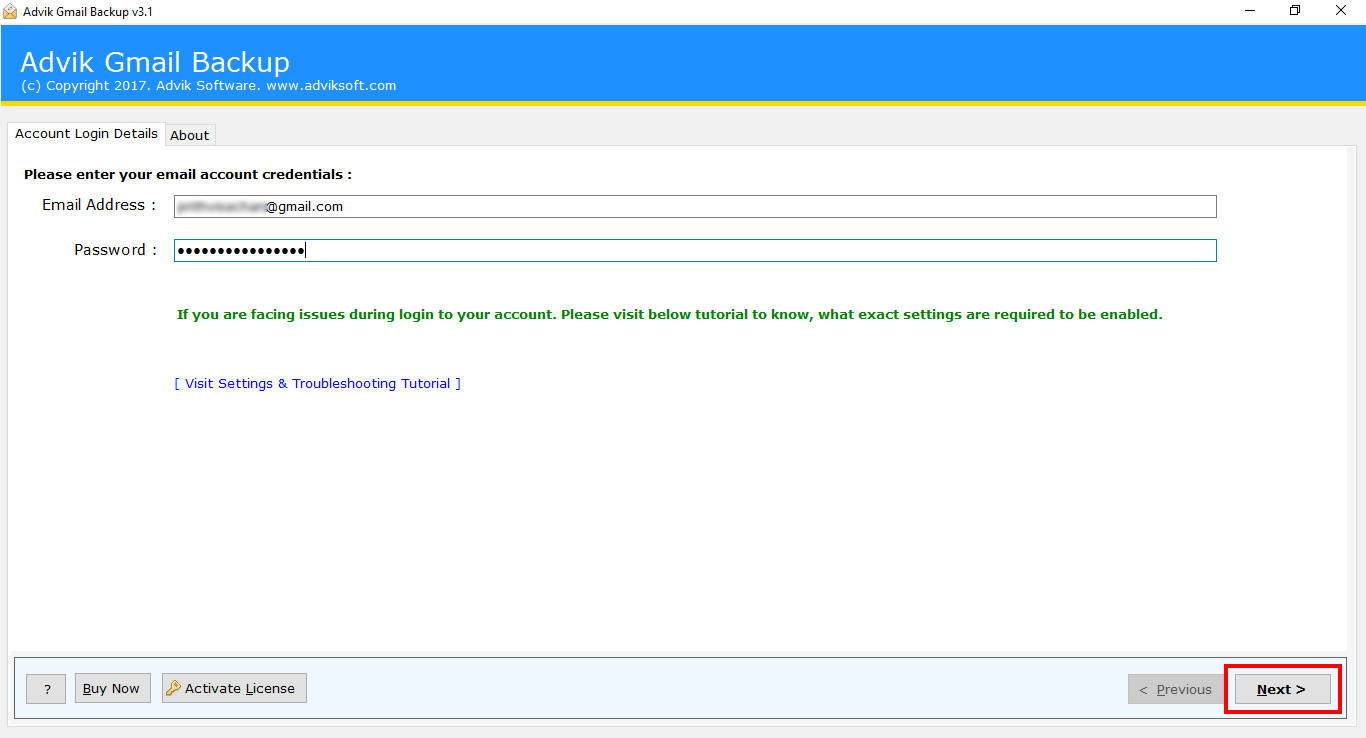
Launch Tool and enter your Gmail credentials.

run export G-Suite emails tool

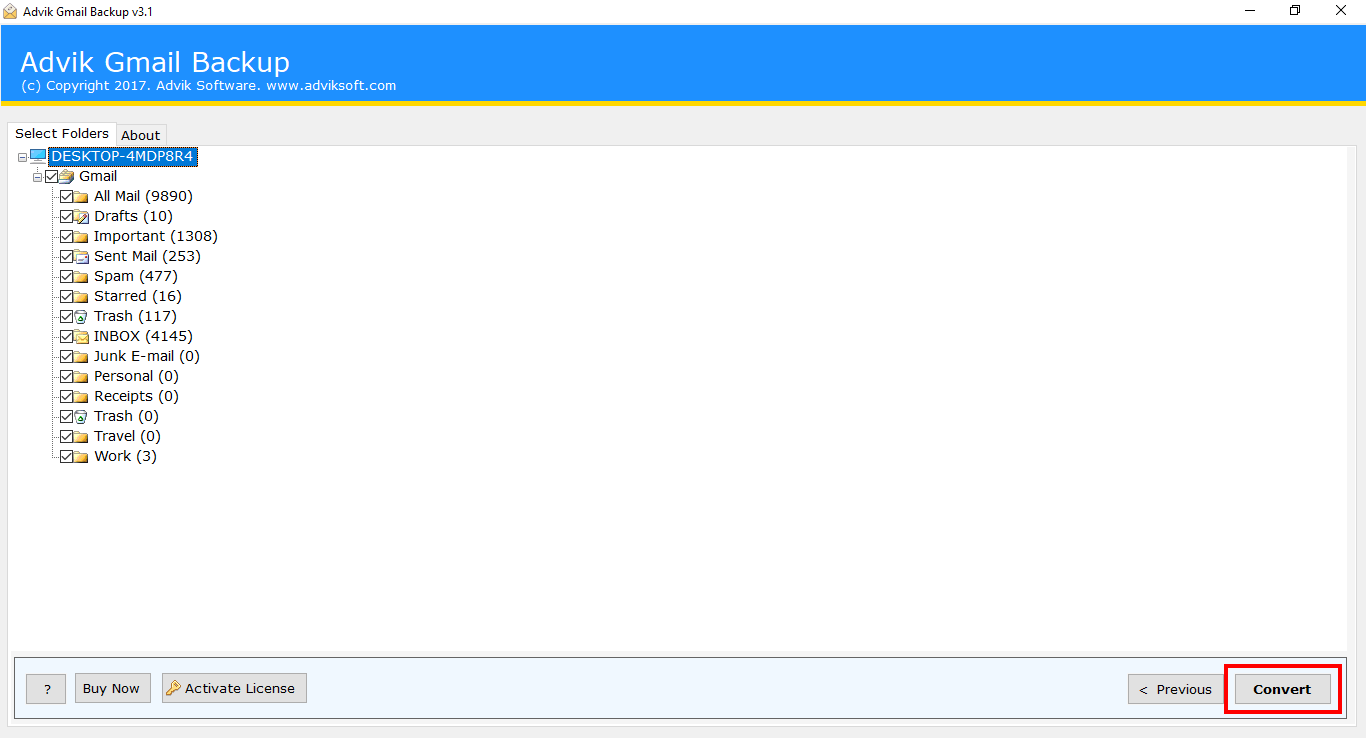
Choose mailbox folders of which you want to save Backup.

google apps backup free

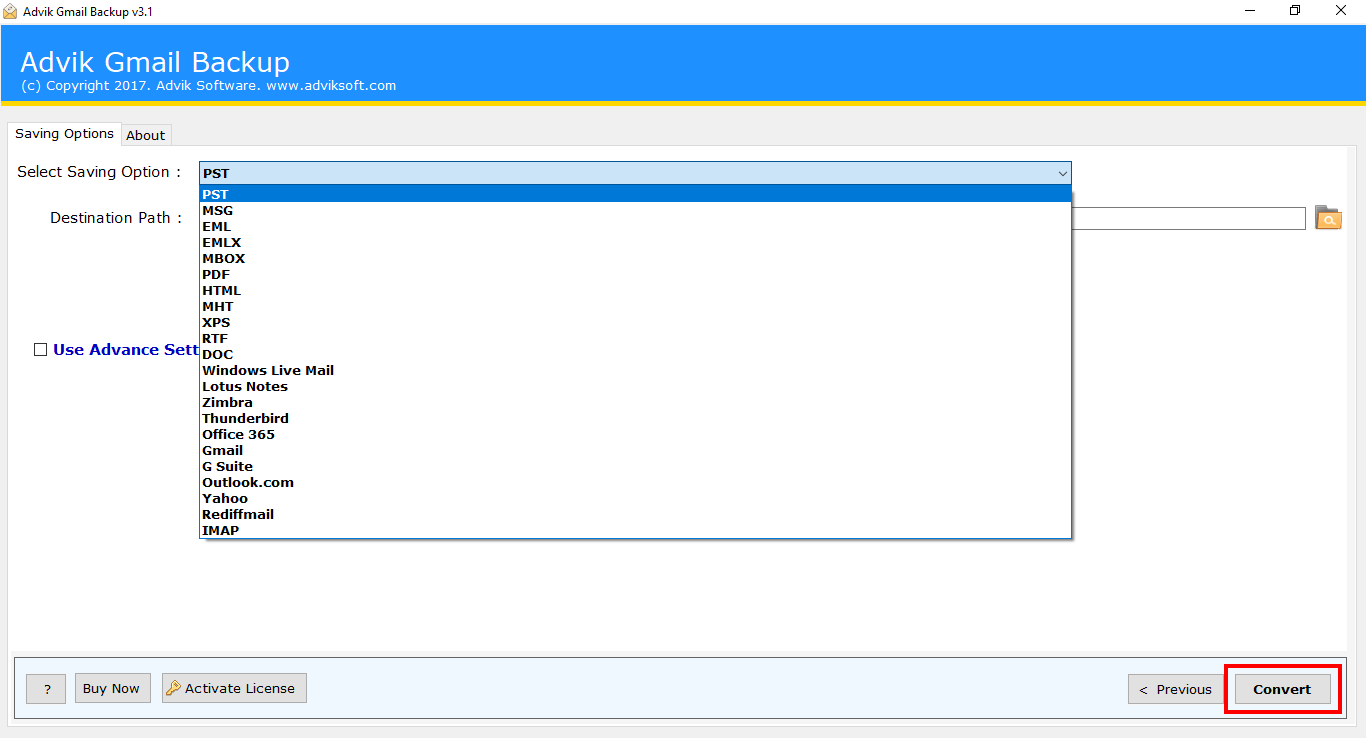
Select Saving Option of the Backup & Click "Convert".

g suite backup tool free

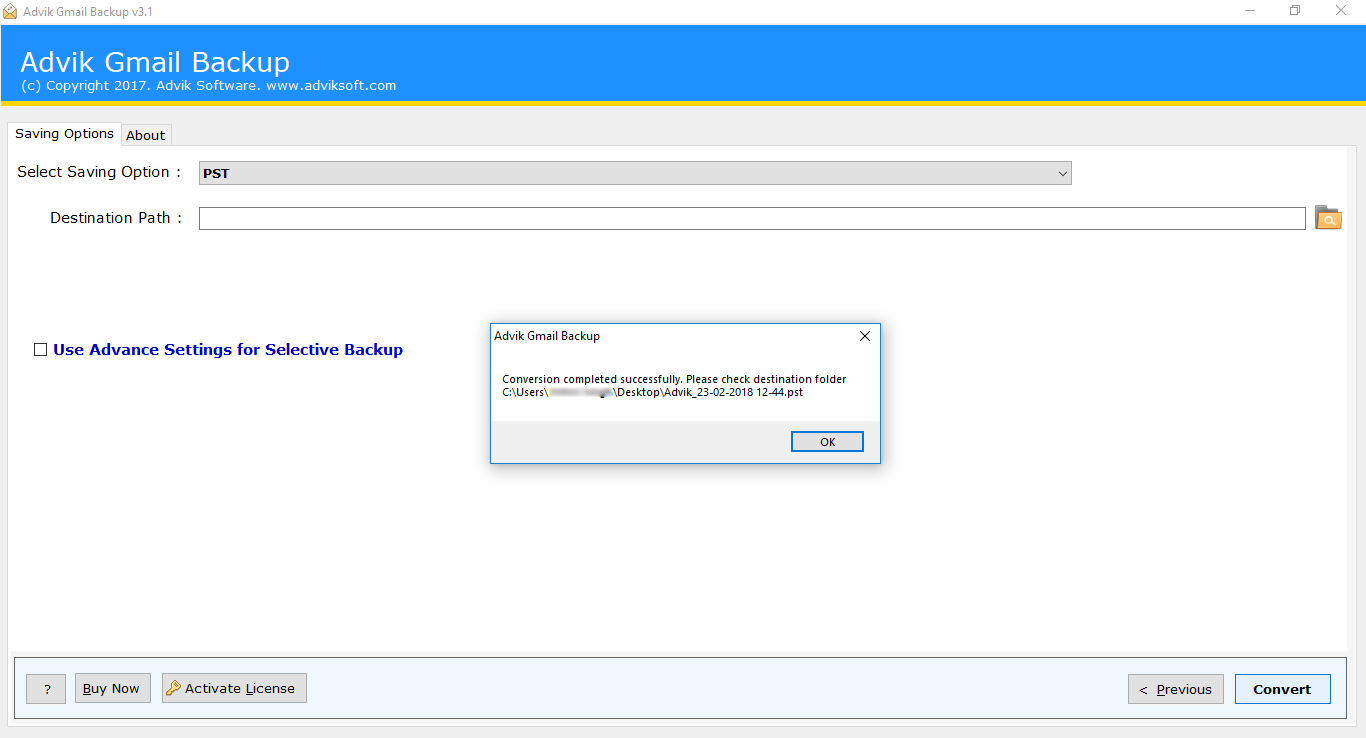
That's it. Google Apps Backup is Saved on your PC.

login transfer G-Suite mails utility