Features Of This Tool
Hotmail Backup Tool's Advance Features

This software generates and download complete backup of hotmail account including emails ,contacts, calender, tasks etc. to PC.

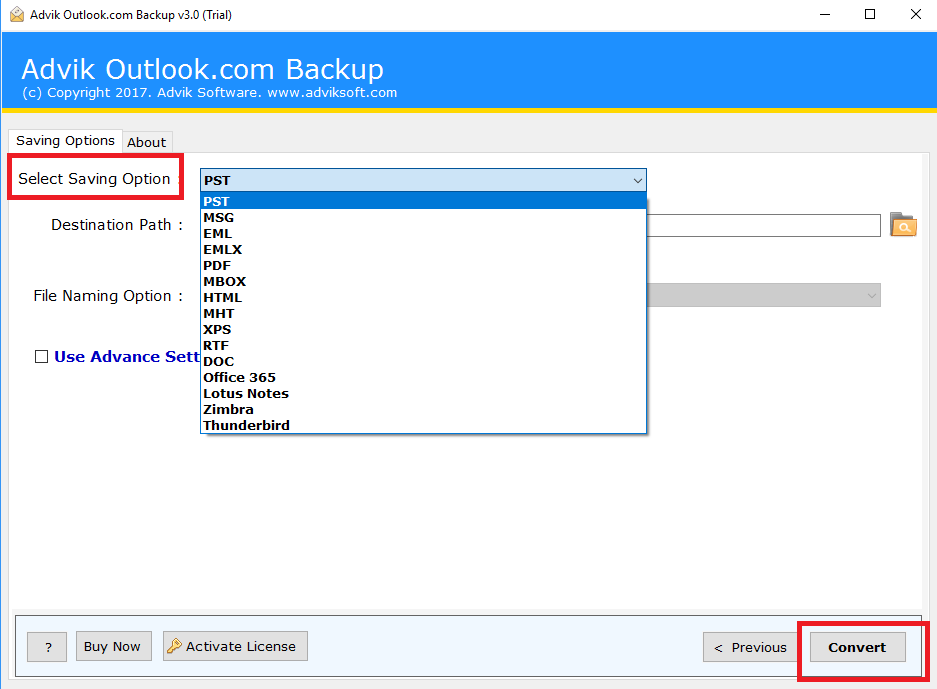
It offers users to download the mailboxes in multiple formats like PST, EML, ,PDF , MSG, MBOX and many more .This will help user to easily access hotmail database in local hard drive.

This Tool retains the data integrity after migration of mailbox to PC. It keep the meta properties, formatting, folder hierarchy, etc in as it it form.

While downloading the backup of complete hotmail account ,this tool aslo downloads the attachment files of their respective mails without any hassle.

You can also transfer emails from Hotmail to Gmail, Office 365, Yahoo mail, Windows Live Mail, Rediffmail, G Suite, another Hotmail account etc.

It Enhances the security feature by providing Strong Authentication and never save your login credentials.
Pre-Requirements
- Windows OS : Windows 10 & All Other Previous Windows Version Supported.
- Processor : 1 GHz Processor (2.4 GHz is recommended)
- RAM : 1 GB RAM required
- Hard Disk Space :20 MB of free hard disk required.
Demo Limit – The Demo version of Hotmail Backup Software download emails to PST, EML, PDF, MBOX & MSG file format, within the limit of 100 mails & 25 other items (Calendar, Contacts & Documents)
Clients Reviews

"User friendly, easily accessible! We love how easy it is to use with Hotmail Backup tool. We can backup emails on our local drive"
James Button, - London

"I’ve tried a number of online backup tools, but none have come close to delivering as Hotmail Backup Tool has. It’s easy to use, even for a newbie like me and their support team are always on hand.."
Alan Hale, - Swedenl
Frequently Asked Questions
Step 1. Install and Launch Hotmail Backup Tool.
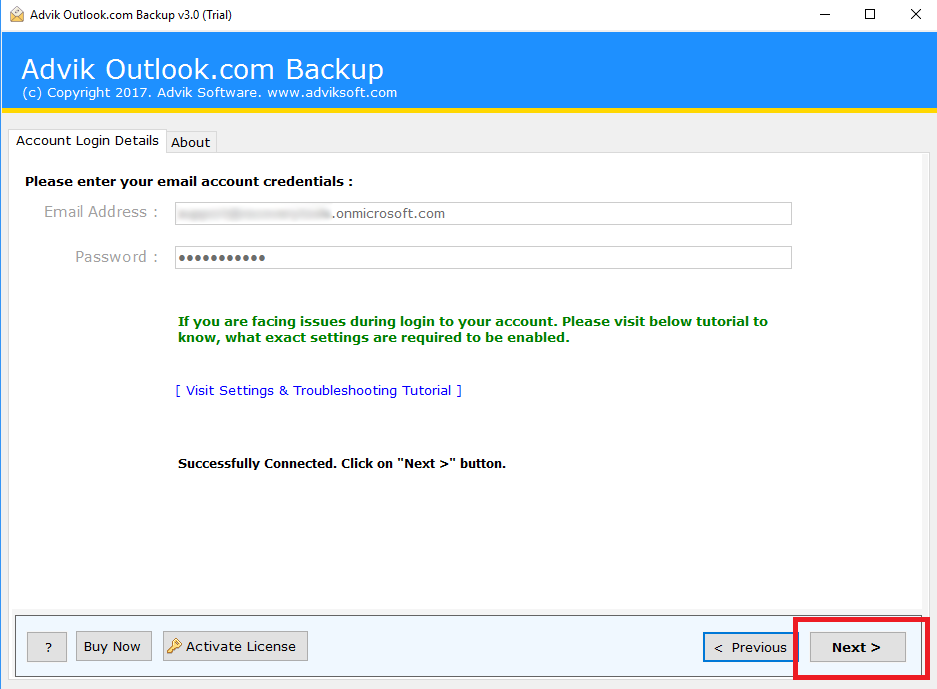
Step 2. Enter your Hotmail credentials.
Step 3. Select Folder and format of backup.
Step 4. Click on Convert.